Home › Free Resources › Learning Center › How to document construction change orders
Protect ProfitHow to document construction change orders
Extra work can become an expensive dispute when the instructions, costs and approvals are scattered across email and field notes. Here is a practical documentation workflow.
The first rule: a request is not an approval
A potential change, proposed change order, signed change order and payment application are different records. A contractor should not assume that sending a pricing request authorizes the work or that an RFI response changes the contract sum. The signed contract and applicable directives and notice provisions determine what is required.
What should trigger documentation?
Examples include owner-requested revisions, unforeseen existing conditions, drawing conflicts, added quantities or scope transfers. Capture the event when it happens, even if entitlement and final pricing are still being evaluated. For urgent work, follow the contract’s authorized direction procedure rather than relying on an informal verbal instruction.
Create the evidence trail
Record the date discovered, affected location, original contract requirement, reason for change, who directed or requested it, drawing/RFI/ASI references, site photos, labor and equipment records, material quotes, subcontractor pricing and time impact. Track notice deadlines separately. Signed daily or T&M tickets can support quantities but do not automatically establish approval of price or entitlement.
Price the proposed change clearly
Present direct labor, materials, equipment, subcontractor cost and any allowable markup or overhead according to contract terms. Distinguish estimated quantities from actual supported costs, and show credits where scope is removed. Identify whether the schedule effect is known, pending analysis or none anticipated; do not state an unsupported number of days.
A simple status workflow
Use Potential → Pricing → Submitted → Under Review → Approved / Rejected / Withdrawn → Billed → Paid. Keep status and amounts distinct: pending changes are not approved contract value, approved changes are not automatically billed, and billed amounts are not necessarily collected. Preserve a link to the signed change or other authorized instrument.
Example scenario
An owner requests an additional access panel not shown in the awarded scope. The team logs the request, identifies the drawing location, collects material and labor cost, and submits a priced change request through the required channel. Work proceeds only under the applicable authorization process. After approval, the team updates contract value and then handles billing separately.
Download and keep tracking
Use our free Construction Change Order Request to organize the proposal. If you need to track changes, costs, billing and outstanding amounts across a project, review the Project Profit & Change Order Control Kit.
*Important: Project contracts, bid instructions, and required forms control. These educational resources are not legal, engineering, or accounting advice.
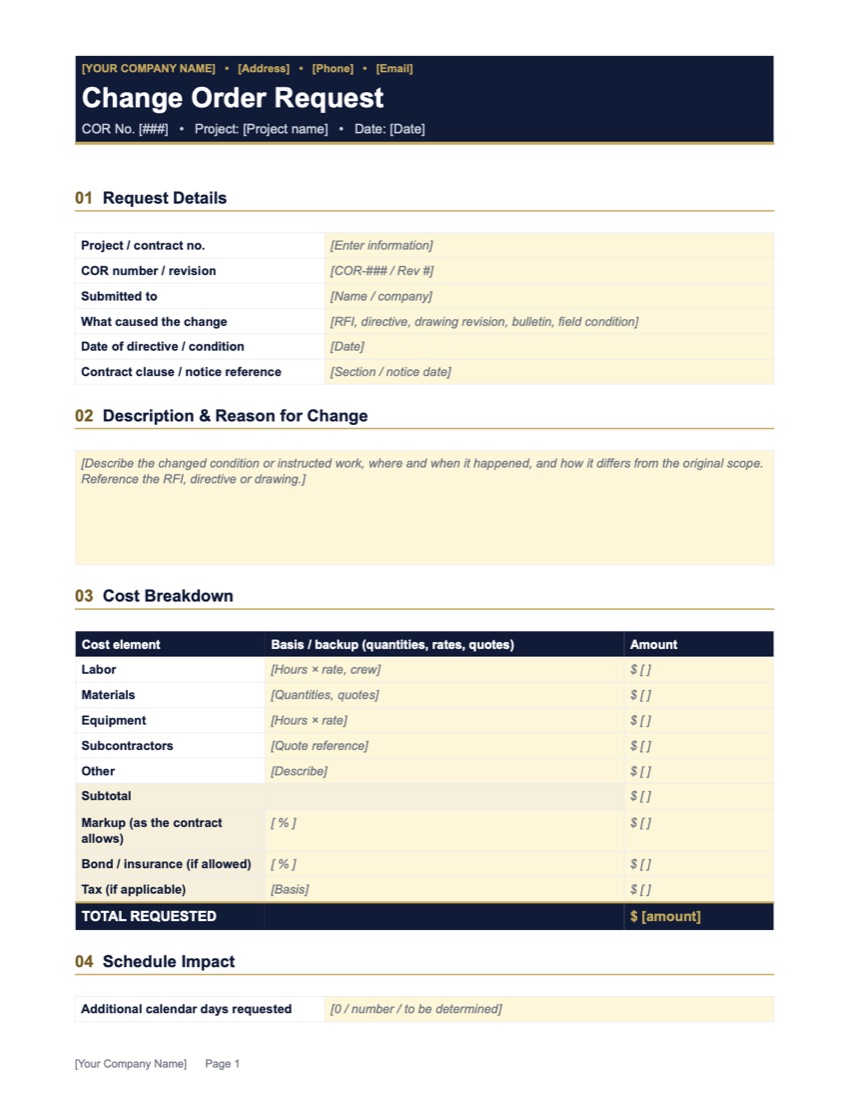
Free Construction Change Order Request Template
What changed, a full cost breakdown with markup, schedule impact and approval signatures.
Get the free templateProject Profit & Change Order Control Kit
An Excel system for one commercial construction project. Tracks change orders, extra work, costs, billing and cash. Every Monday it tells you who to call and where your money is.
Need a little more help?
Start with a $197 strategy session. If you hire us for a project within 30 days, the $197 comes off the price.