Home › Free Resources › Learning Center › How to write a construction RFI
Manage WorkHow to write a construction RFI
A good construction RFI helps the project team make one clear decision without guessing. Here is how to write one that is easy to review, answer and track.
What is an RFI in construction?
A request for information (RFI) asks the appropriate project team member to clarify ambiguous, missing or conflicting information. It should identify a decision needed to perform the work, not become a substitute for a change order, submittal or informal complaint. Follow your contract’s routing and notice requirements.
When should you submit one?
Use an RFI when two drawings conflict, a dimension is missing, specifications contradict the plans, an existing condition differs from what is documented, or an approval/clarification is needed before proceeding. Check the latest documents and coordinate internally first so the project team is not answering questions already covered in the contract set.
The information every useful RFI needs
Include a unique RFI number, project, date, sender, recipient or routing party, concise subject, affected drawing and specification references (with revision/date), specific question, supporting sketch or photograph, response-needed date and potential schedule or cost impact. State the impact as potential or under evaluation unless documented, not as an automatic entitlement.
Example: vague versus clear
Vague: “Please advise on ceiling.”
Better: “Drawing A6.2, Detail 4 shows a 9 ft 0 in ceiling in Corridor C, while reflected ceiling plan A2.3, Revision 2 shows 8 ft 6 in. Which elevation governs between gridlines 3–5? Framing in this area is scheduled to begin [date]; response requested by [date] to avoid disruption.”
Attach cropped, labeled drawing excerpts showing the conflict.
RFI workflow in six steps
- Confirm the issue is not already resolved in current documents.
- Create one clear question or a tightly related group of questions.
- Reference the exact document and attach relevant evidence.
- Send through the designated contractual channel.
- Record receipt, assigned reviewer, due date, answer and distribution.
- Verify whether the answer changes scope or time; follow the separate change/notice process if needed.
Mistakes that create delay
Avoid multiple unrelated questions in one RFI, unclear screenshots, missing revision references, unrealistic response deadlines, and assuming an RFI response itself authorizes extra cost. Track unresolved RFIs in a log and communicate field dependencies early.
Your next step
Use the free editable Construction RFI Template to prepare a clear request. For other everyday project paperwork, browse all of our free construction templates.
*Important: Project contracts, bid instructions, and required forms control. These educational resources are not legal, engineering, or accounting advice.
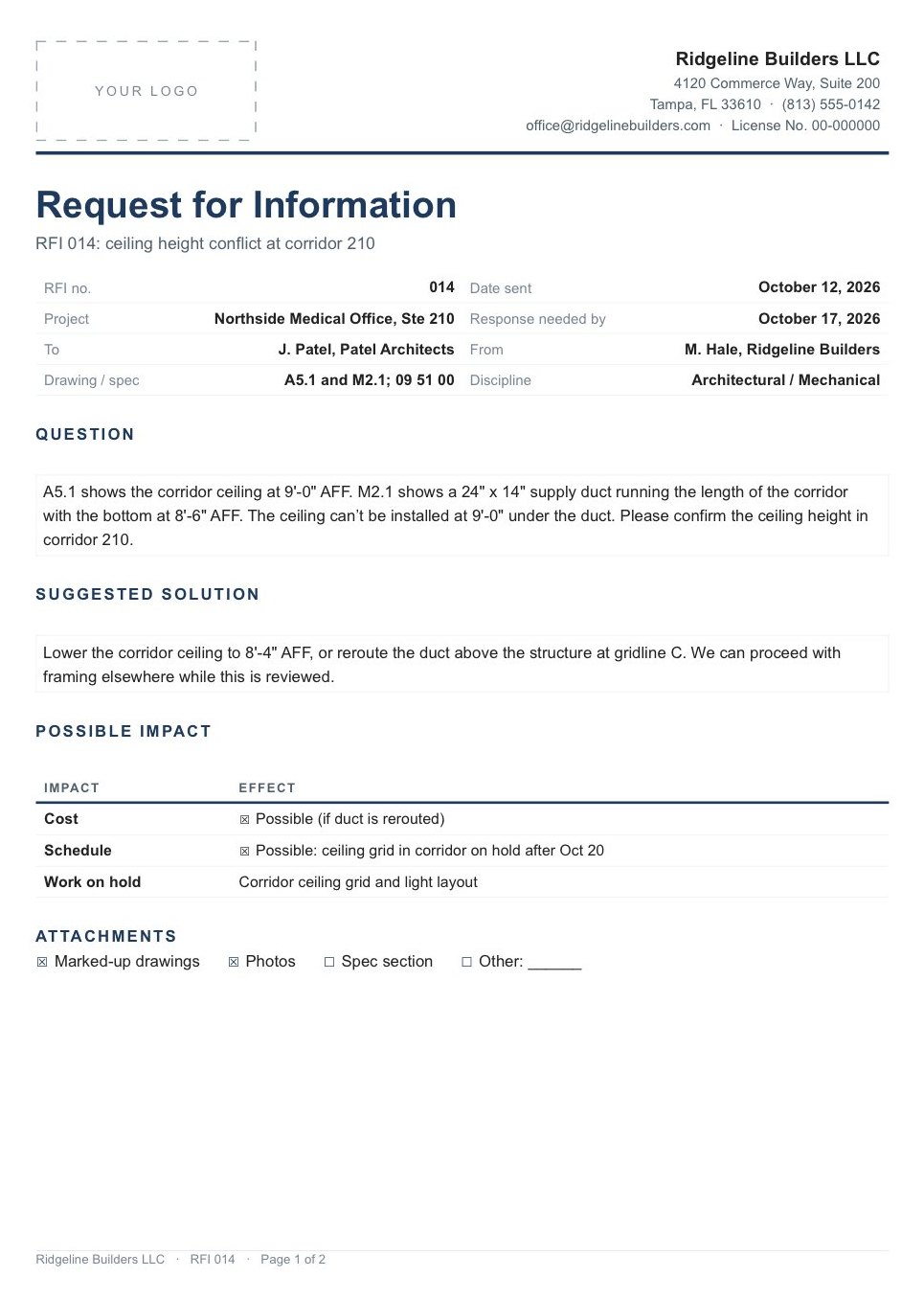
Free Construction RFI Template
One clear question, the references, possible impact, and a section for the official response.
Get the free templateContractor Profit Tracker
An Excel system for one commercial construction project. Tracks change orders, extra work, costs, billing and cash. Every Monday it tells you who to call and where your money is.
Need a little more help?
Hands-on consulting for contractors entering commercial and government work, or building better systems for the business they already run.