Shop › Protect Profit
Contractor Profit Tracker
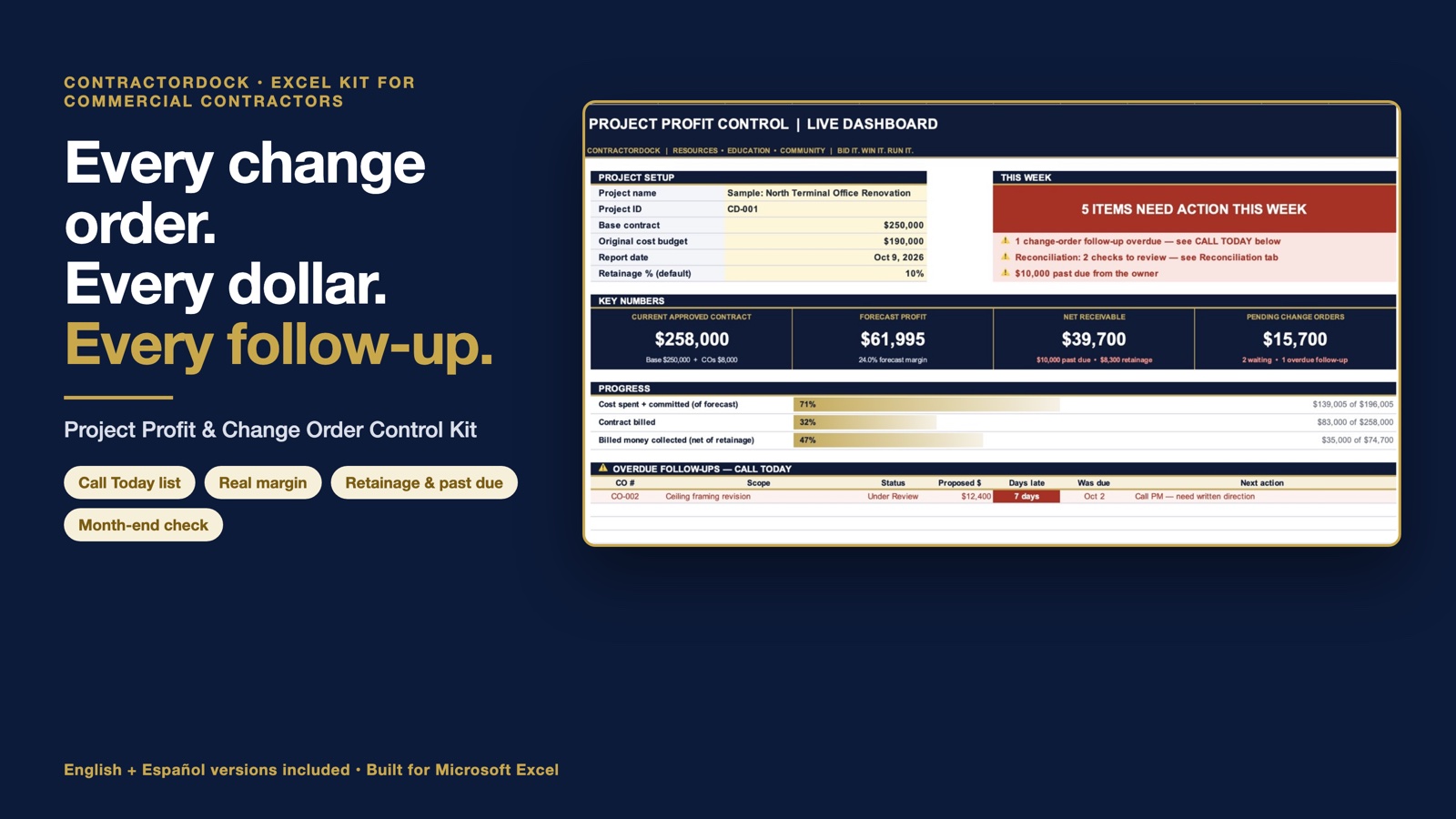
Know what's approved, what's pending, what's been billed, and what money still needs your attention.
 Get the Tracker · $67 ↓
Most contractors don't lose money in the field. They lose it in the paperwork: the change order nobody followed up on, the extra work done without a signature, the invoice that sat 45 days.
An Excel system for one commercial construction project. Tracks change orders, extra work, costs, billing and cash. Every Monday it tells you who to call and where your money is.
What it does for you
- Change orders don't slip. Every pending CO gets a follow-up date. Miss it, it lands on your "Call Today" list.
- Your real margin. Counts what you've spent, what you've committed, and what's still coming.
- Extra work at risk, visible. T&M you've marked unapproved or disputed shows up as money at risk, not just another expense.
- Retainage and past-due, tracked. See what's owed, what's late, and what's being held.
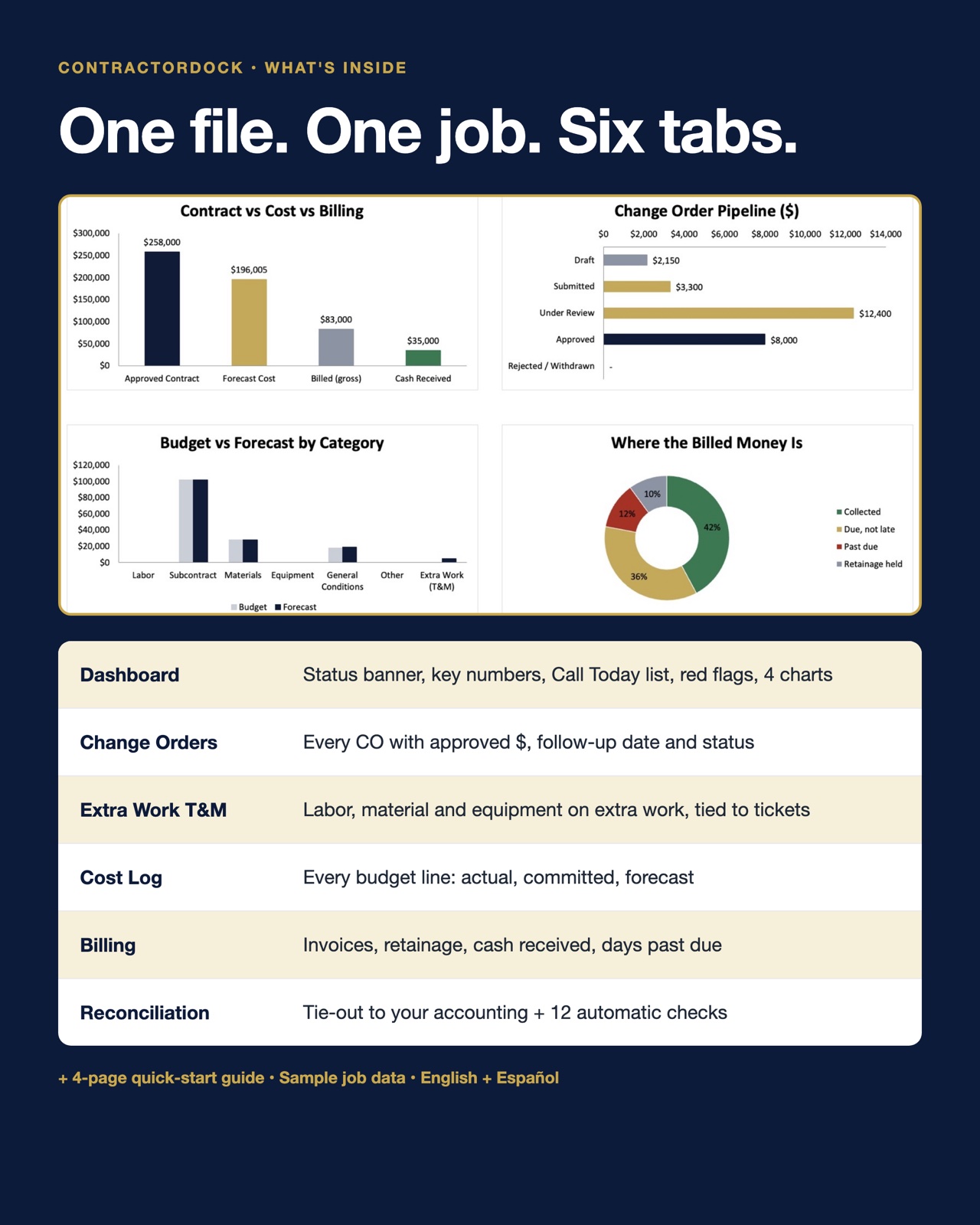
- Checks itself before every pay app. A month-end tab ties out to your accounting.
The details
Who it’s for
- Commercial GCs and specialty subs who deal with change orders, extra work, progress billing and retainage
- Owners, PMs and office managers who want one place to see what’s approved, pending, billed and unpaid
Not a fit if you need
- Anyone looking for accounting software, payroll or job costing that replaces QuickBooks
- Companies that need one system for many projects at once: it’s one file per project
"I already use QuickBooks."
Good, keep it. QuickBooks is your books: it records what already happened. This tracker is your Monday morning: it tracks the change orders and extra work that haven't hit QuickBooks yet.
Questions before you buy
Do I need special software?
Microsoft Excel (desktop or Microsoft 365). That’s it. No subscription and no login.
How do I get it?
Right after checkout you get the download, plus an email receipt from Stan.store with the link.
Can I use it on more than one job?
Yes. Make one copy of the file for each project.
If I log a change order, does that make it approved?
No. The tracker logs it. Approval still has to come in writing, the way your contract requires.
What if a file won’t open or doesn’t match the description?
Email us within 14 days. We’ll fix it or send a working file, and if we can’t, we’ll refund you.
Is it in Spanish?
Yes. You get the English and Spanish workbooks and quick-start guides in the same download.
One-time purchase. Instant download.
Catch one change order that would have slipped and the tracker has paid for itself.
Get the Tracker · $67If a file won’t open or doesn’t match its description, email us within 14 days. We’ll fix it or refund you.
Get both trackers for $97Save $37 with the Win & Protect Bundle →What you get
- Excel tracker: live dashboard, change order, T&M, cost, billing and reconciliation tabs
- English AND Spanish versions
- 4-page quick-start guide
- Sample job data so you can see how it works first
Built for Microsoft Excel. One file per project. An operational tracker, not accounting or legal advice. For use inside your own company, on as many of your projects as you want. Please don’t resell or share the files outside your company.
Secure checkout on Stan.store · Refund policy · Questions?